Showing posts with label PDF. Show all posts

Wednesday, April 15, 2015


Check out this website full of free online productivity tools. 

  • Merge multiple related PDF files
  • Convert web page to printer friendly PDF
  • Convert web page to high resolution image or wallpaper
  • Extract images from PDFs
.....and so much more!
Click here

Friday, January 6, 2012

Sci2ools - Free Online Productivity Tools - Sciweavers

The Sci2ools site houses a number of useful free tools, as noted in the graphic of their site toolbar below. The i2Symbol tool features 35 categories of symbols besides those from other languages.

Included are 3 categories of math symbols such as: 
≦≧≭∦∛∔⋊⋈ - Don't ask me what any of these mean!
Music symbols include: ♩♪♫♬♭♮♯
You can even get the HTML code for the symbols if you wish.

You can convert text to an image or extract text from an image, convert a web page to an image or pdf, merge pdf files, extract pdf files, etc., etc.
This site is well worth a quick -  ⍥Ի  η⍥☂  ṡ⍥  ҩυїḉк  - look.
Sci2ools - Free Online Productivity Tools - Sciweavers

Tuesday, November 8, 2011

Acrobat Pro 10 can be your hero

One of the biggest complaints I have heard about PDF files is the inability to edit. Regardless how many times, users are told to save the original Word or Excel file to edit at a later time, that original always seems to get lost.

There have been converters pop up over the years, but I have never heard of any really working to folks' liking. Of course, you can always copy and paste the text for an ungainly unformatted look into a document. Desperate but ugly.

Now, Acrobat Pro 10 has added that ability to convert a PDF to Microsoft Word (.doc and .docx), and it seems to work. At least better than previous external applications (both free and paid). My recent sample attempt did not bring over math symbols, but the overall formatting in the new Word document looked pretty darned good.

With so many programs now able to convert their files to PDF, the purchase of Acrobat has become less attractive in the last few years. This latest feature, however, could be worth taking another look.

Wednesday, February 9, 2011

Check out Joliprint

Joliprint allows you to enter the address of a website to create a PDF of the site. You can save, print, or email the file. The PDF is very neat and clean looking, however, it does have the Joliprint logo on the side.


The link to Print PDF now shows below each post of this blog. When clicked, you can select to download the PDF to view and/or save, or send to Twitter, Facebook, or as an email.

You can also add the Joliprint tool to FireFox, IE, and Chrome which allows you to simply click the tool on any website to create the PDF. I did try it in ANGEL and it does not work. I think this is good news in a way. Students will not have a new way to print and share tests, etc.

Monday, November 22, 2010

Save your Students Ink and Paper!


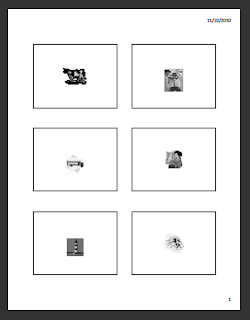
Why not make it easy for your students to print the PowerPoint presentations in your class? You can do this by converting your PowerPoint presentations to PDF files. This way you can put more than one slide on a page and convert the slides to black and white so they don’t waste ink and paper!

There are two ways you can convert your PowerPoint presentations to PDF files. The first, if you have a newer version of Microsoft Office, is to Save As a PDF, click on Options, Publish as Handouts, and select how many slides per page you prefer.

If you don’t have this option in your version of PowerPoint, you can use a FREE software called CutePDF Writer. According to cutepdf.com, “CutePDF Writer installs itself as a "printer subsystem". This enables virtually any Windows applications (must be able to print) to create professional quality PDF documents - with just a push of a button!” With CutePDF you will also be able to put more than one slide on each page.

Of course you will still want to have available your ispring PowerPoint presentation, but this additional PDF file will give students the ability to easily print and review your slides. So go ahead and help your students save ink and paper!!!