Studies reveal that teacher-made videos improve learning and retention. Some students appreciate that the teacher took time to add the personal touch, others like being able to repeatedly view the material, still others like to pause to let certain portions better sink in.
Whatever the reason, teacher-made videos (even unprofessional quality ones) are a good idea. If you have ever thought about using YouTube to store your videos but haven't created an account, or if you are hesitant to adjust too many settings, here is a brief walk-through to some of what awaits you in the settings options.
Use Tubechop to "chop" Youtube videos down to size
Ever see a great part of a Youtube video? I mean, that section was great, but the rest isn't really what you're looking for, or the whole thing is just too long? Well, now you can chop them down to size, and embed them, share them, or post the link it creates for you. Here's how it works...
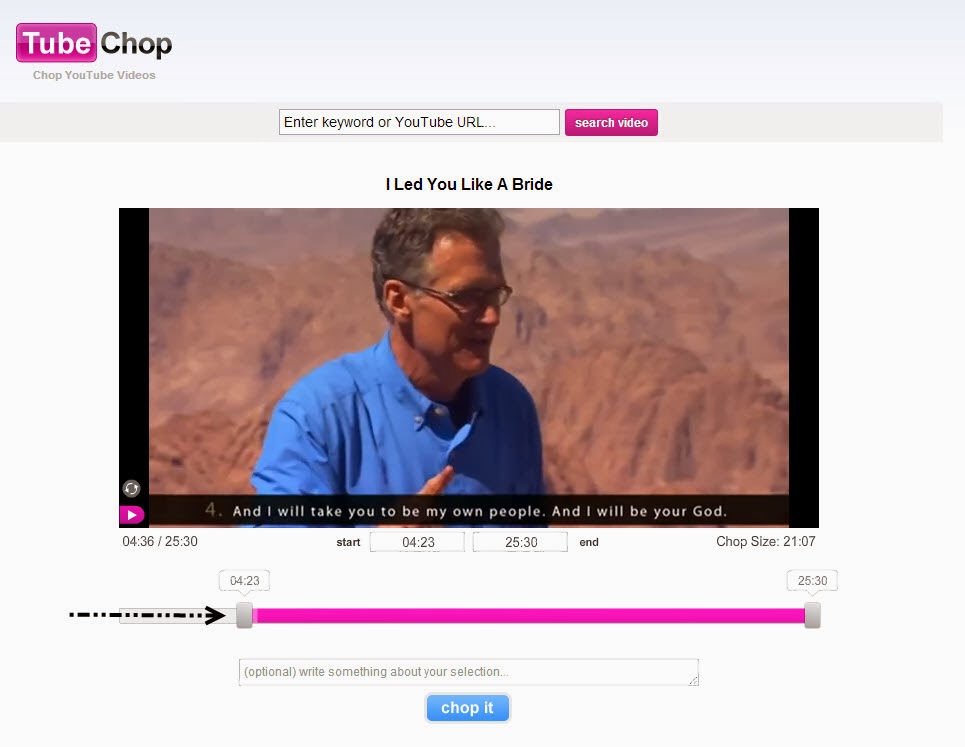
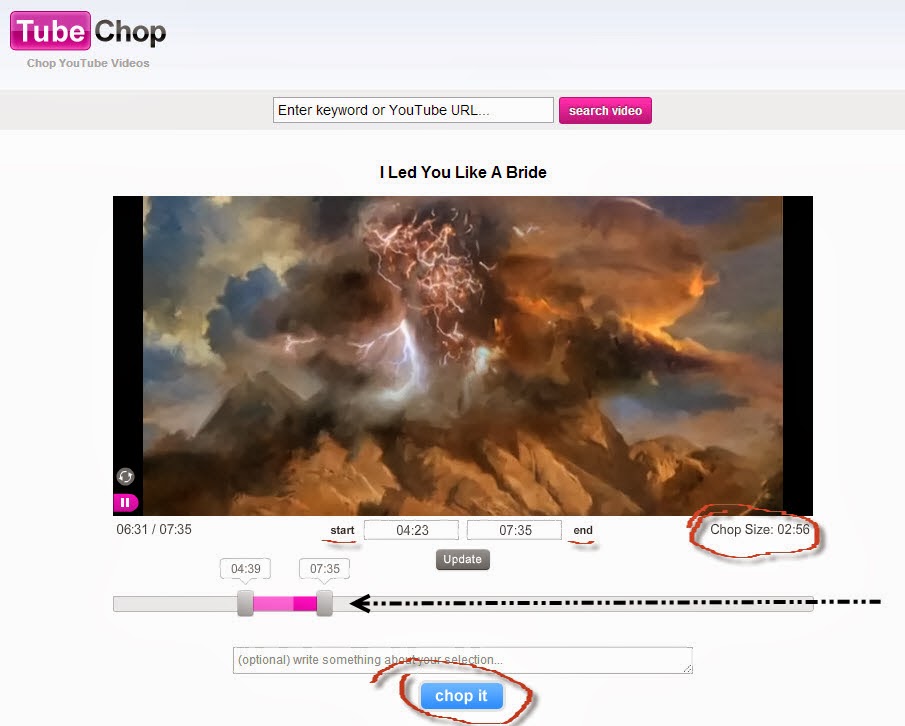
Once at the website, type in the video or topic you're looking for at the top. Then, you have 2 options for chopping. Option 1: Use the sliders to choose the points to start and finish chopping. Option 2: Type in the minutes and seconds for the final chops right into the counters below the video picture.
Once you have made your chop selection, the length will be
indicated on the bottom-right below the video picture. If all is well, click “chop
it” at the bottom.
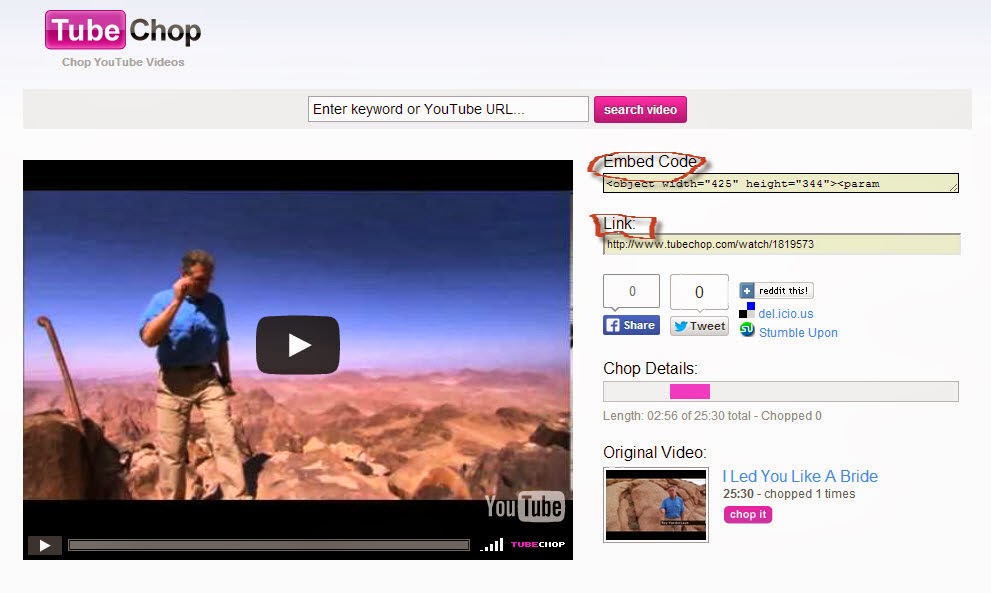
Your segment will be chopped for you, and you will be shown
several choices of what to do with your tubechop. Have fun!